> For the complete documentation index, see [llms.txt](https://kayen-finance.gitbook.io/docs/llms.txt). Markdown versions of documentation pages are available by appending `.md` to page URLs; this page is available as [Markdown](https://kayen-finance.gitbook.io/docs/chiliz-guide/creating-your-web3-wallet.md).
# Creating your Web3 Wallet
To interact with Kayen Finance, you need a Web3 wallet configured for Chiliz Chain.
We recommend [MetaMask](https://metamask.io/), and [there are many others](https://www.alchemy.com/dapps/top/wallets).
{% hint style="info" %}
MetaMask is the most popular Web3 wallet. It is free.
MetaMask lets you store assets, buy, and connect to any platform built on top of Ethereum-compatible blockchains, including Chiliz Chain.
{% endhint %}
[Download it from the original site](https://metamask.io/download). Don't trust other download platforms!
On desktop, MetaMask is available as a browser extension, and on iOS and Android it is available as an app. The browser extension for desktop is available for most browsers.
## Installing MetaMask
Our step-by-step tutorial below will help you create your own Web3 wallet using the MetaMask browser extension. The process on iOS and Android is similar, except that you install the MetaMask app instead of a browser extension.
{% hint style="info" %}
MetaMask has its own installation and set-up guides, if you prefer to follow these instead.
*
*
{% endhint %}
{% stepper %}
{% step %}
### Go to MetaMask.io and download the extension
Visit and click on "Get MetaMask".

{% endstep %}
{% step %}
### Choose your device
On the next Download page, choose the device on which you want to install MetaMask.
For the purpose of this guide, we'll choose the browser extension. Pick your browser, for instance Firefox. The browser's extension store opens.

{% endstep %}
{% step %}
### Add the extension to your browser
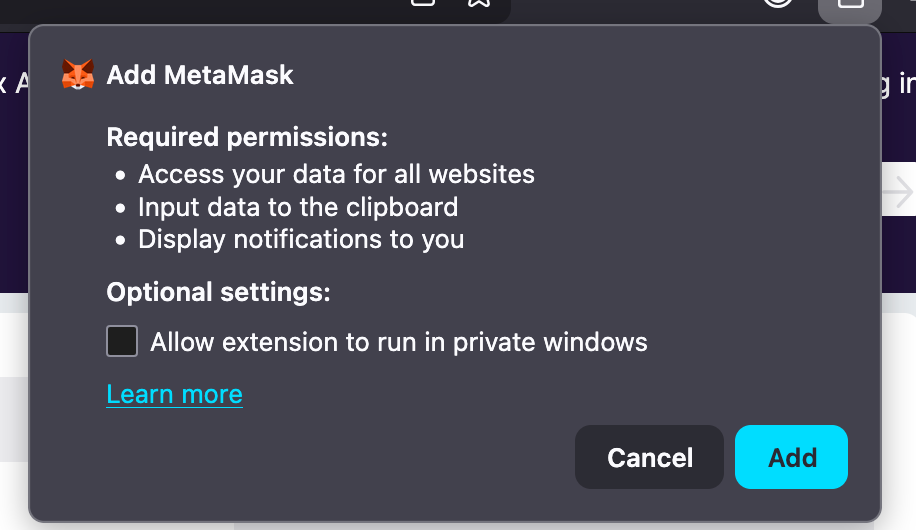
Click "Add to Firefox" (or the equivalent for your browser).

When the browser confirmation pop-up appears, click "Add".
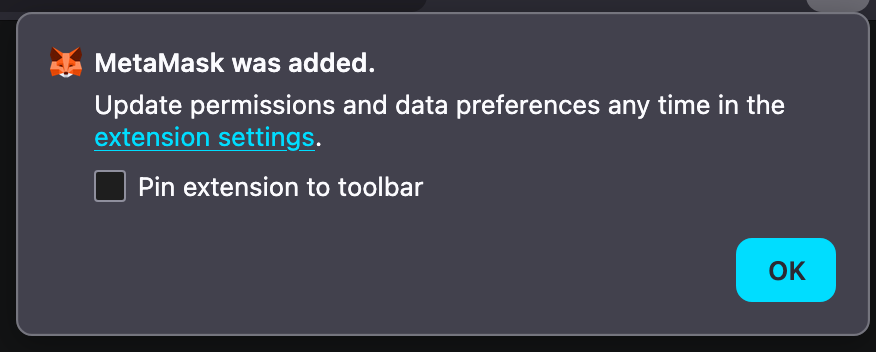
 Select "Pin extension to toolbar" in order to access MetaMask easily later on.
 {% endstep %}
{% step %}
### Create your MetaMask Wallet
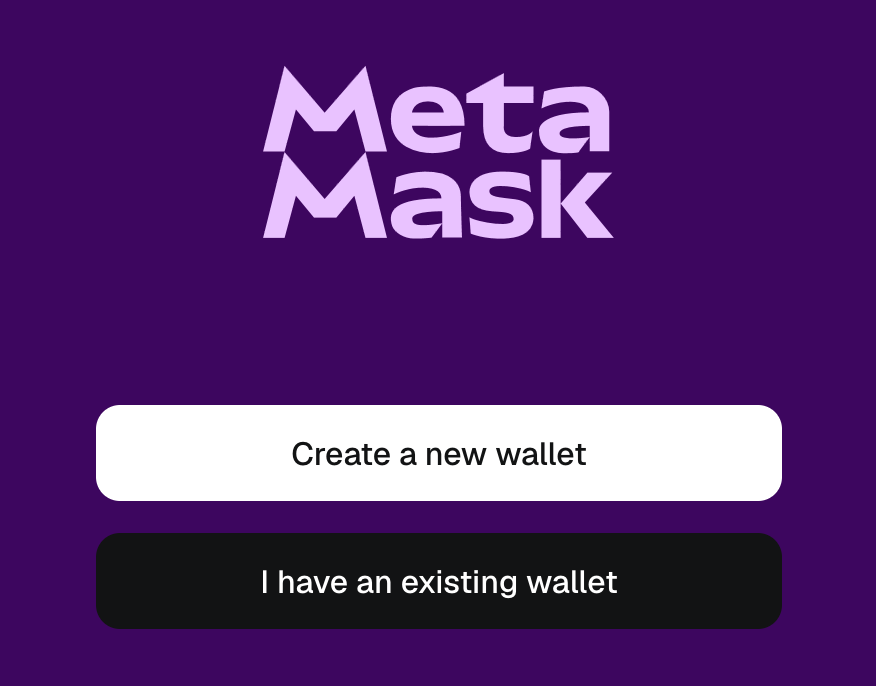
Once you have installed the extension, click "Create a new wallet" (if you don't already have one).
{% endstep %}
{% step %}
### Create your MetaMask Wallet
Once you have installed the extension, click "Create a new wallet" (if you don't already have one).
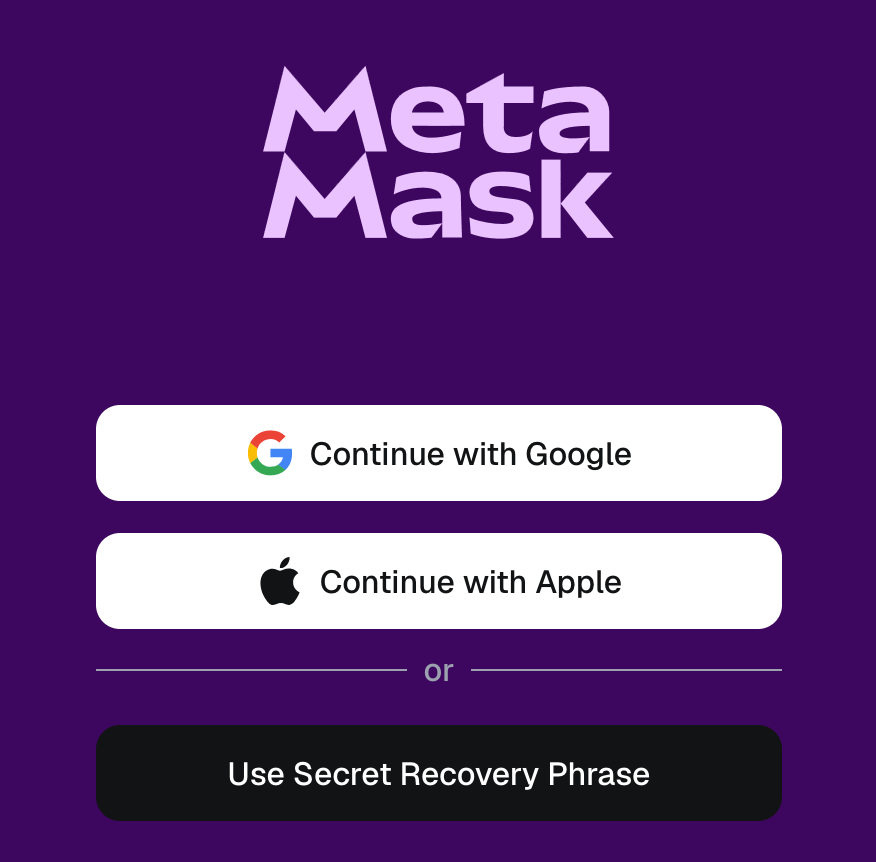
 Choose how you want to connect to your wallet. In this guide we'll choose "Use Secret Recovery Phrase".
 {% endstep %}
{% step %}
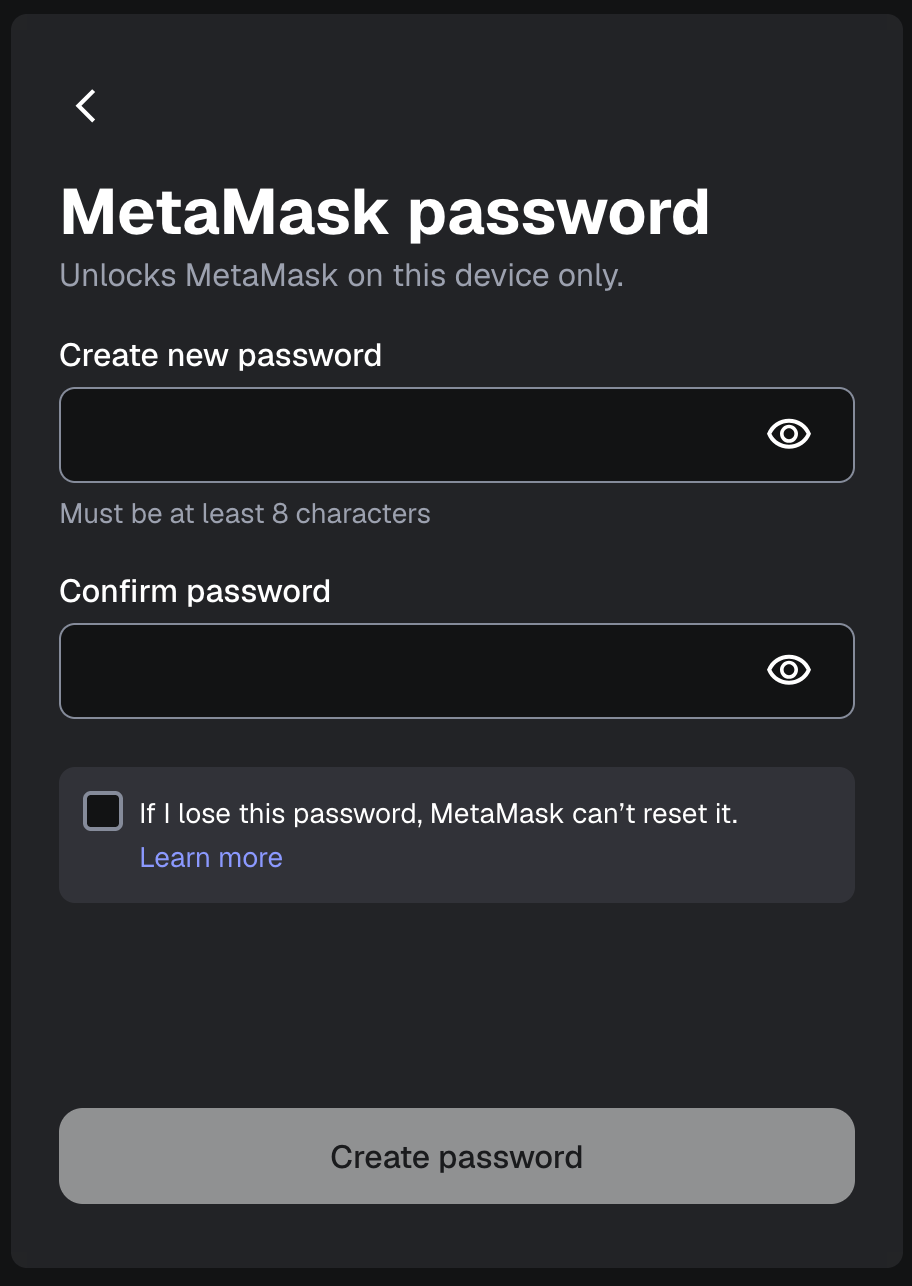
### Set a password
Set a password to access MetaMask in your browser then click "Create password".
{% endstep %}
{% step %}
### Set a password
Set a password to access MetaMask in your browser then click "Create password".
 {% endstep %}
{% step %}
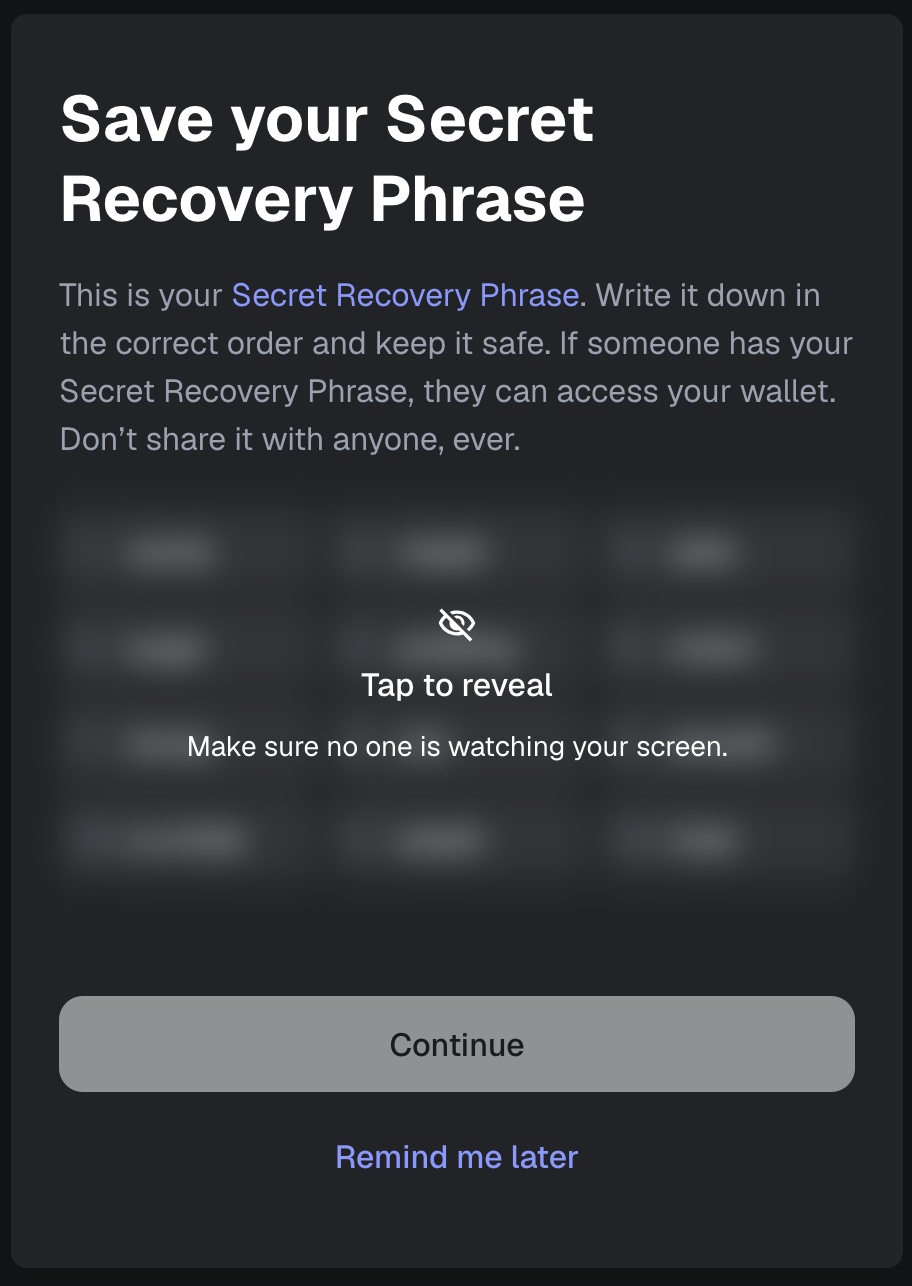
### Reveal and store your secret recovery phrase
Click "Tap to reveal" to view your recovery phrase (also called "seed phrase").
{% endstep %}
{% step %}
### Reveal and store your secret recovery phrase
Click "Tap to reveal" to view your recovery phrase (also called "seed phrase").
 {% hint style="warning" %}
* If your device crashes or your browser resets, the secret phrase is the only way to recover your funds.
* If you lose the seed phrase, MetaMask cannot recover your wallet, and your funds will be lost permanently.
* **Store your secret phrase somewhere safe.** It is recommended to write down the 12-word phrase on paper and store it securely, making sure the words are in the correct order.
* **Never share your seed phrase or private key with anyone**; anyone with it has full control over your funds.
{% endhint %}
After you have securely stored the phrase, click "Continue".
{% endstep %}
{% step %}
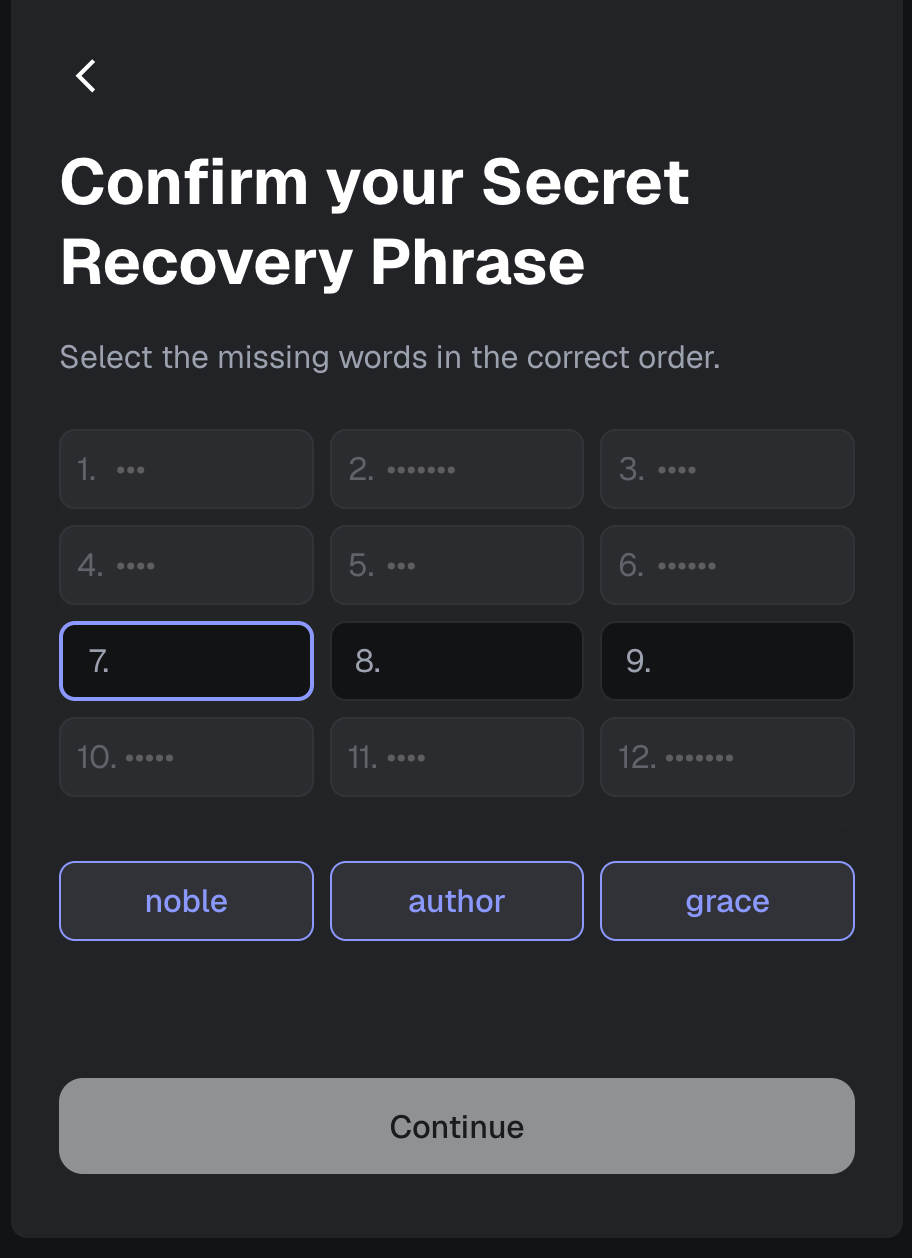
### Confirm your recovery phrase
Insert words from your seed phrase in the correct order and click "Continue".
{% hint style="warning" %}
* If your device crashes or your browser resets, the secret phrase is the only way to recover your funds.
* If you lose the seed phrase, MetaMask cannot recover your wallet, and your funds will be lost permanently.
* **Store your secret phrase somewhere safe.** It is recommended to write down the 12-word phrase on paper and store it securely, making sure the words are in the correct order.
* **Never share your seed phrase or private key with anyone**; anyone with it has full control over your funds.
{% endhint %}
After you have securely stored the phrase, click "Continue".
{% endstep %}
{% step %}
### Confirm your recovery phrase
Insert words from your seed phrase in the correct order and click "Continue".
 {% endstep %}
{% step %}
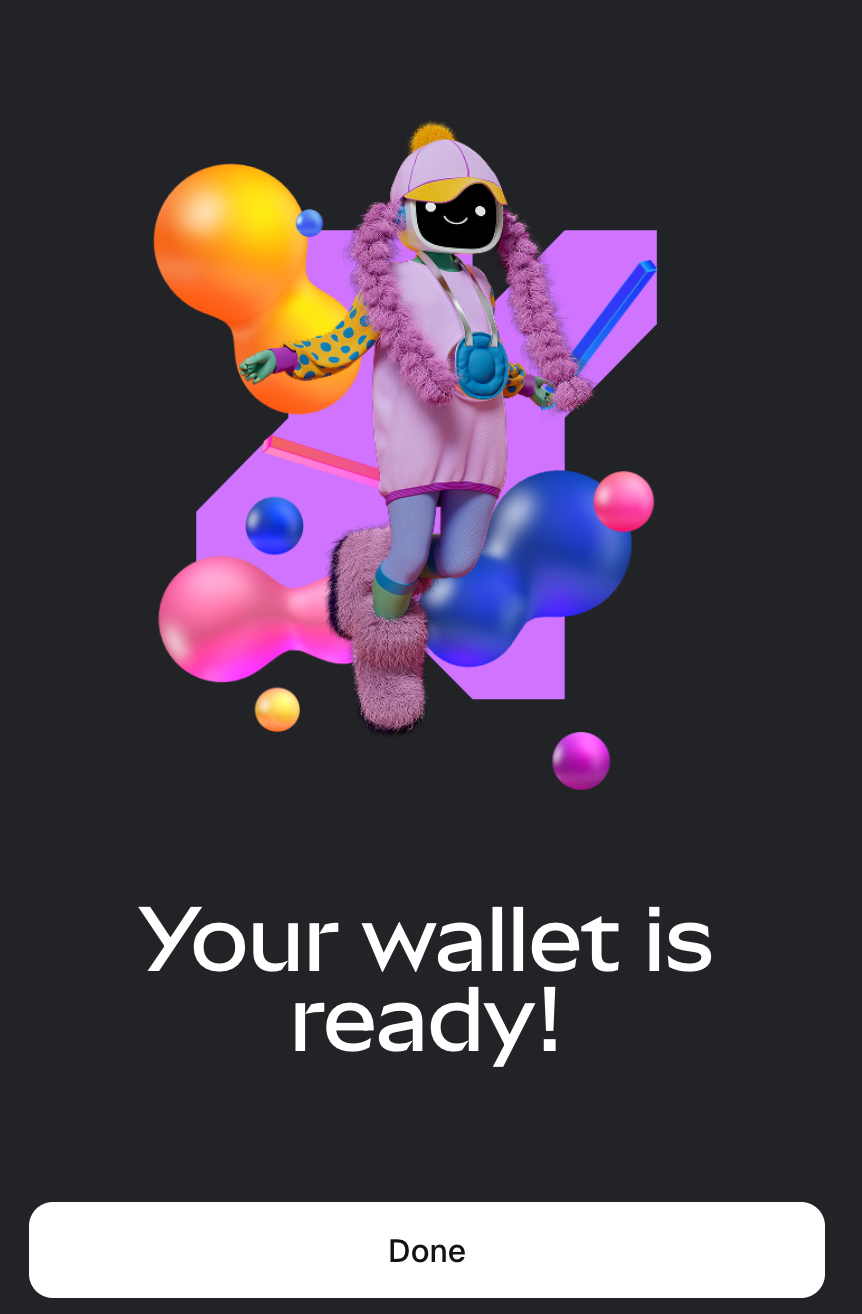
### Ready!
Your MetaMask wallet is ready to use! Click "Done" to access it.
{% endstep %}
{% step %}
### Ready!
Your MetaMask wallet is ready to use! Click "Done" to access it.
 You can access your wallet at any time by clicking the extension's icon in your browser toolbar.

{% endstep %}
{% endstepper %}
You can access your wallet at any time by clicking the extension's icon in your browser toolbar.

{% endstep %}
{% endstepper %}